Access to the Easy Web Site Builder

To access to the Easy Web Site Builder that contains over 1000 ready-to-use templates are now available for you please follow these steps

1- Log into CPanel by following the steps described here (access to the cPanel).
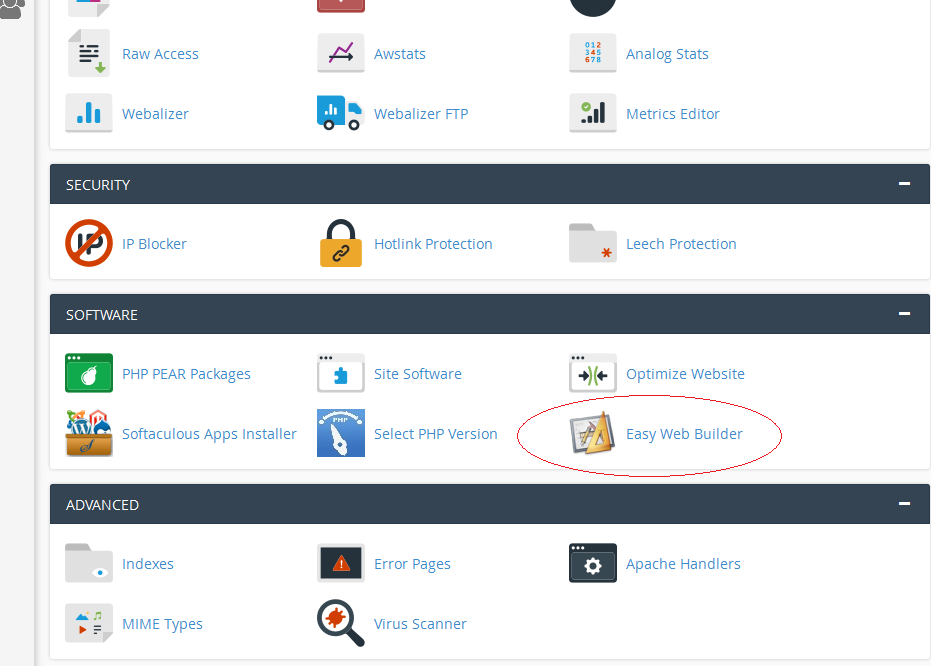
2- In the lower part of the screen, under "Software ", click on the "Easy Web Builder" icon.
3- Choose domain/subdomain you want to use to build your site for.
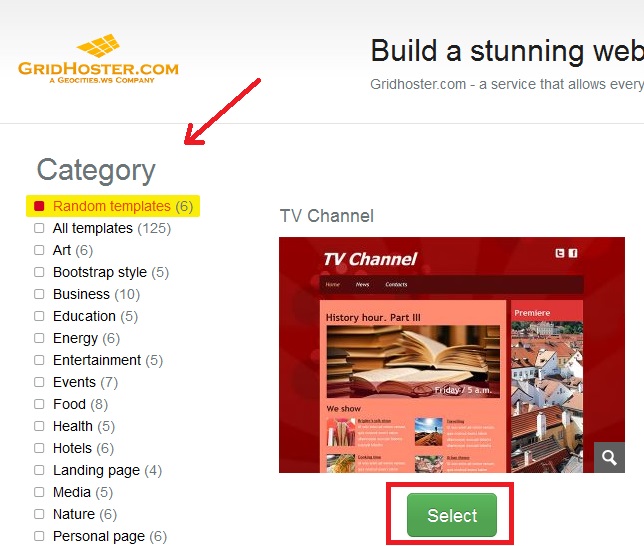
4- Choose between 1000 ready-to-use templates.
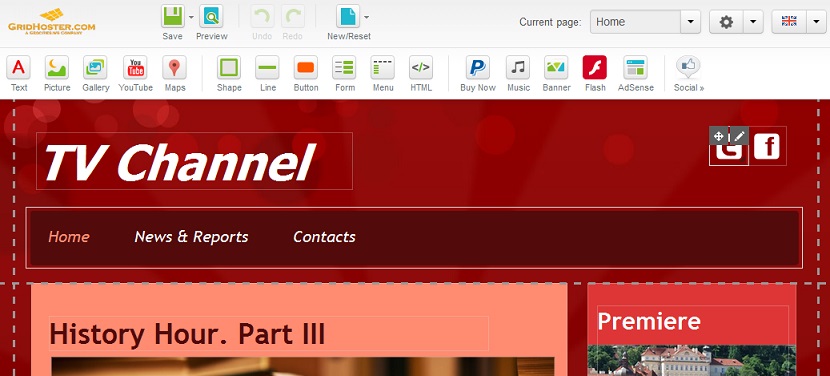
5- Follow the Builder steps and start editing your web site.

2)

3)
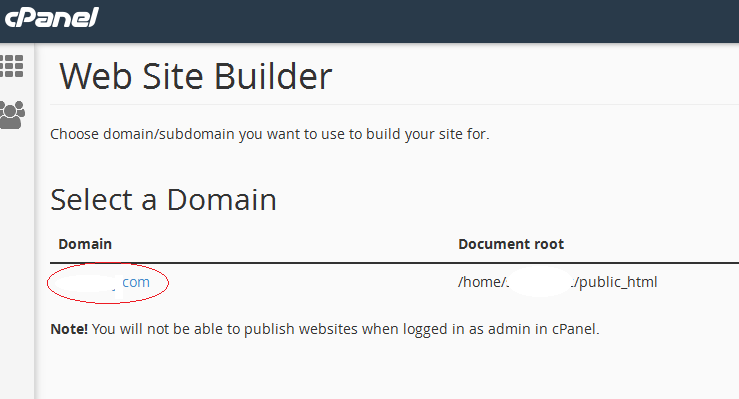
Site builder select domain
4)
Easy Site builder choose template
5)

Easy Site builder

  • 414 Los Usuarios han Encontrado Esto Útil
¿Fue útil la respuesta?

Artículos Relacionados

How to Create an Add-On Domain

How to Create an Add-On Domain Add-on domains are additional domains stored as a subdomain of...

How to Create a Website via cPanel’s Site Publisher

How to Create a Website via cPanel’s Site Publisher The Site Publisher is a useful tool,...

How to Create MySQL Database

How to Create MySQL Database Every website needs a place to store its data. Here, we’ll create a...

How to Park a Domain

How to Park a Domain Having a different type of domain is a great way of “protecting” your...

How to Check Bandwidth

Step 1. Access a Short Summary of Bandwidth Usage When you log in, you can immediately see the...