Access to the Easy Web Site Builder

To access to the Easy Web Site Builder that contains over 1000 ready-to-use templates are now available for you please follow these steps

1- Log into CPanel by following the steps described here (access to the cPanel).
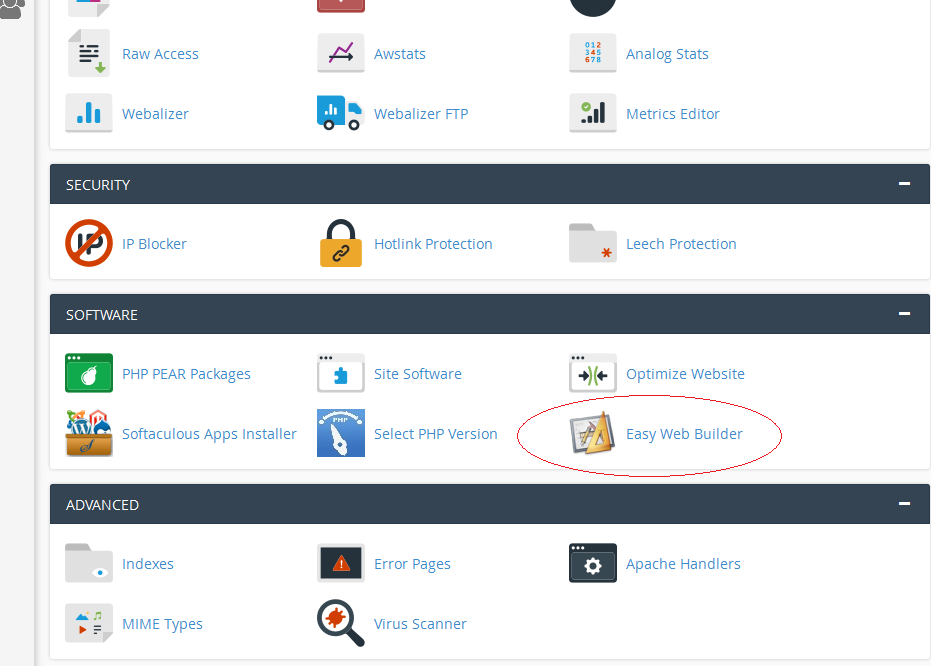
2- In the lower part of the screen, under "Software ", click on the "Easy Web Builder" icon.
3- Choose domain/subdomain you want to use to build your site for.
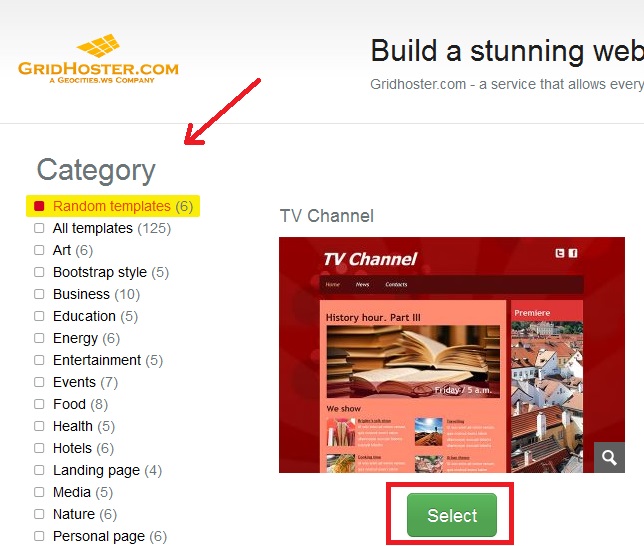
4- Choose between 1000 ready-to-use templates.
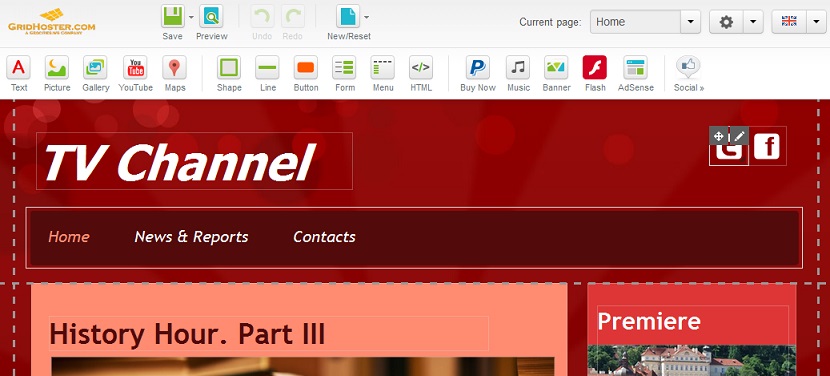
5- Follow the Builder steps and start editing your web site.

2)

3)
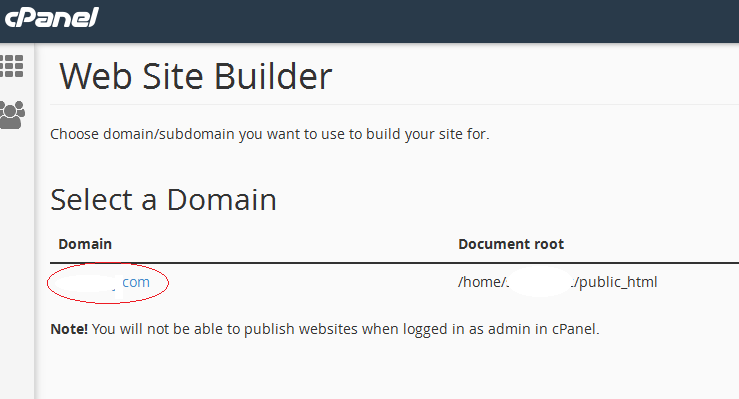
Site builder select domain
4)
Easy Site builder choose template
5)

Easy Site builder

  • 414 Пользователи нашли это полезным
Помог ли вам данный ответ?

Связанные статьи

Access to the Control Panel (cPanel)

cPanel is a web hosting account management toolYou only get one username per cPanel. If you...

How to Generate/Download a Full Backup

cPanel BackupsA full cPanel backup makes a copy of all of your files, email, databases, etc. Once...

How to Park a Domain

How to Park a Domain Having a different type of domain is a great way of “protecting” your...

How to Create an Add-On Domain

How to Create an Add-On Domain Add-on domains are additional domains stored as a subdomain of...

How to Create Custom Error Pages

How to Create Custom Error Pages Error pages help inform visitors that there’s an issue with the...