Access to the Easy Web Site Builder

To access to the Easy Web Site Builder that contains over 1000 ready-to-use templates are now available for you please follow these steps

1- Log into CPanel by following the steps described here (access to the cPanel).
2- In the lower part of the screen, under "Software ", click on the "Easy Web Builder" icon.
3- Choose domain/subdomain you want to use to build your site for.
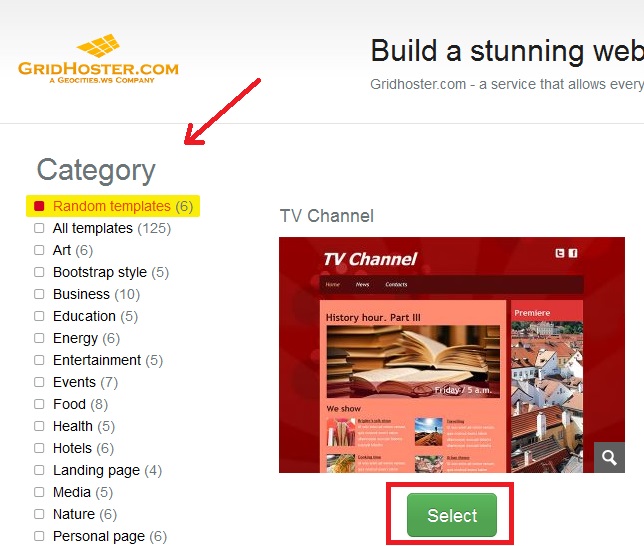
4- Choose between 1000 ready-to-use templates.
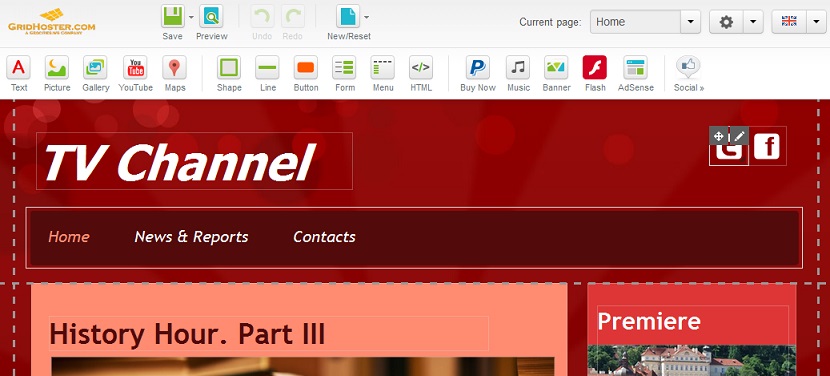
5- Follow the Builder steps and start editing your web site.

2)
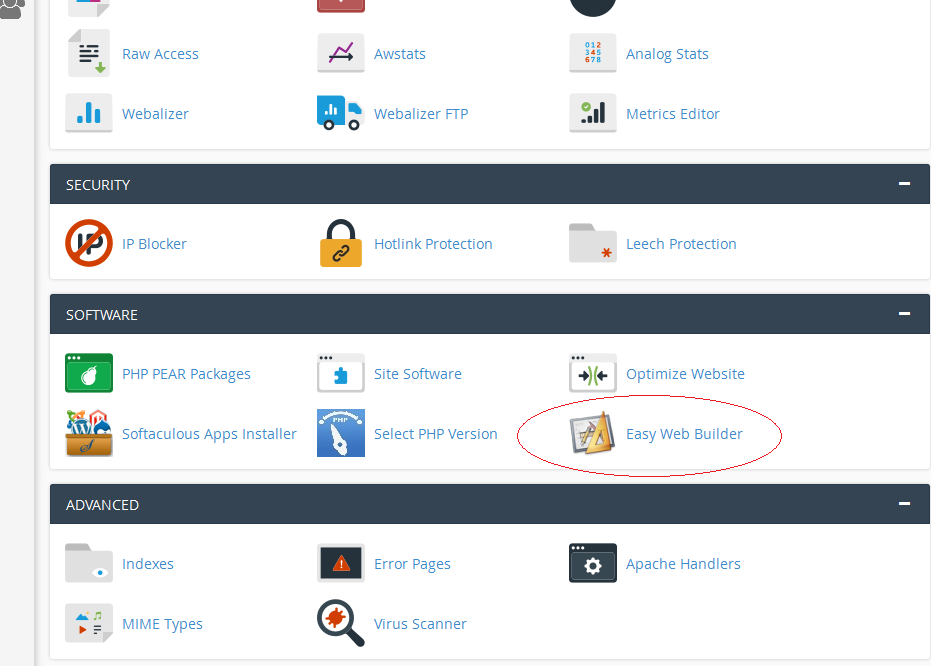

3)
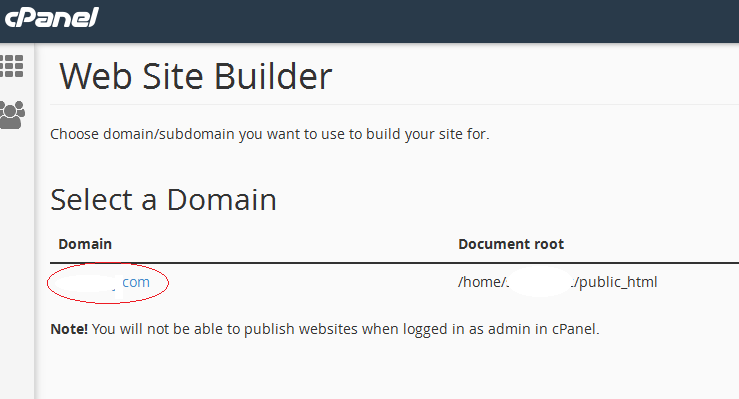
Site builder select domain
4)
Easy Site builder choose template
5)

Easy Site builder

  • 414 Utilisateurs l'ont trouvée utile
Cette réponse était-elle pertinente?

Articles connexes

How to Use cPanel’s File Manager

The File Manager is the tool that you need to do basic file management for your cPanel. Besides...

How to Setup an Email Account

How to Setup an Email Account Creating an email account using the cPanel is a pretty...

How to Backup Your Website

How to Backup Your Website You’ve probably heard this over and over again – backups are one of...

How to Configure Dreamweaver for FTP

How to Configure Dreamweaver for FTP If you are using Dreamweaver as your site designer, you...

How to Generate/Download a Full Backup

cPanel BackupsA full cPanel backup makes a copy of all of your files, email, databases, etc. Once...